More Options and Features for Demos as a Marketing Tool on Steam

– 2 min read

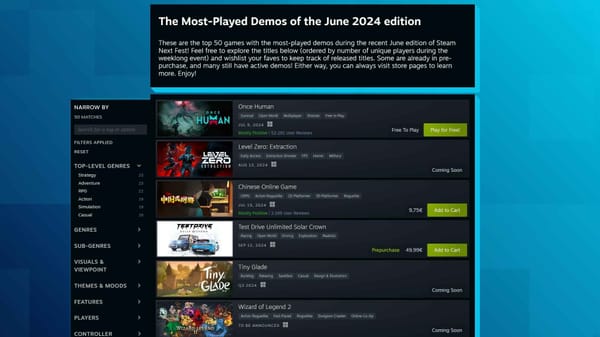
Demos are a very useful marketing tool for generating attention for a game, especially during a Steam Next Fest. From now on, there will be more opportunities for demos on Steam, for example, with their own store pages and better connections to the full version.
Demos are undoubtedly a powerful marketing tool, especially on Steam at Next Fest events. And with more and more demos being created, Valve Software has announced some improvements based on feedback from players and developers. For example, demos can have their own store page.
"By default, your free demo appears as a button on your base game's store page. But if you want to have a separate store page for your demo, you can now enable that in the 'edit store' section for your demo. Enabling a separate store page for your demo will give you space to better describe the contents of the demo, add screenshots, upload a trailer, and specify supported Features," Valve Software wrotes in the a Steamworks Development update.
These standalone demo store pages will automatically display both the demo install button and a widget linking back to the full game for players interested in wishlisting or purchasing. It will also be possible to write user reviews for the demos, if developers or publishers decide to allow this. A separate store page can also be created for demos that have already been released. And users who have wishlisted a game can be notified when a demo becomes available. As before, demos can be disabled and re-enabled.
Demos will appear more in the Steam Store. Valve Software: "Demos now behave more like free games and can appear in all the same sections and lists. For example, demos can now appear on the Steam homepage in charts such as the "New & Trending", on the "New on Steam" page, and on relevant tag and category pages. This means that launching a new free demo for your game will behave similarly as launching a free stand-alone game on Steam."
Also, demos now work better in the Steam Library. They can be added directly to the library without being installed. Demos can also be installed if users already have the full version. Finally, demos can be removed from a Steam account.
Never miss anything from the German, Swiss and Austrian games industry again: subscribe for free to our Daily newsletter and get all news straight to your inbox.